
Introduction
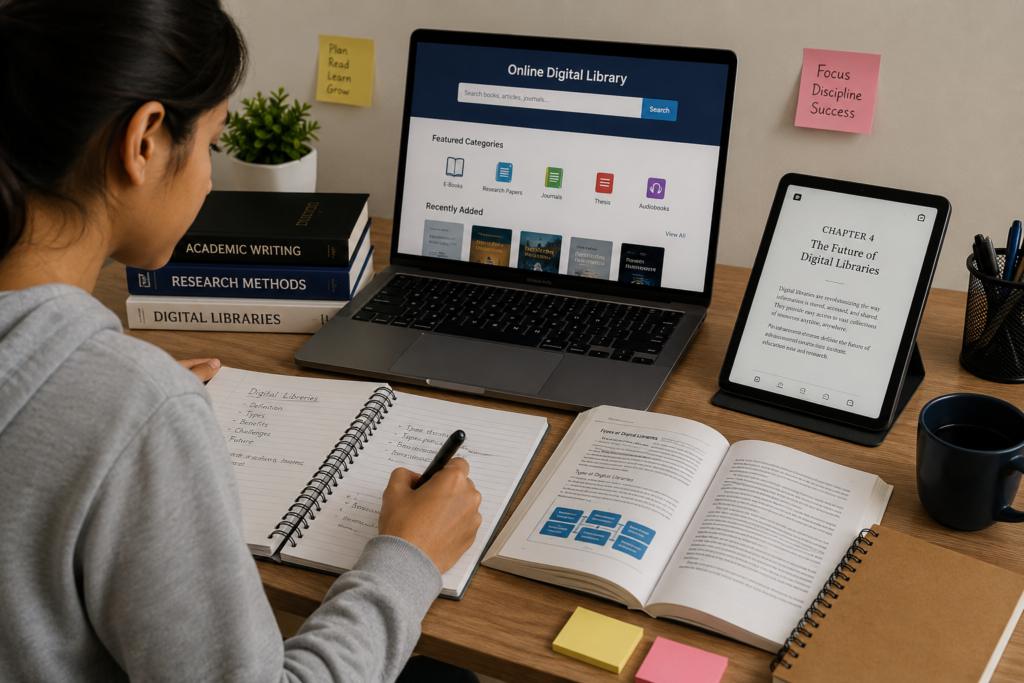
Learning is no longer limited to classrooms, printed textbooks, and traditional libraries. Students today have access to a wide range of digital resources that can support their education and make information easier to find.
Digital resources include e-books, digital libraries, educational websites, research articles, online reference materials, digital notes, educational videos, and other learning resources. When used properly, these tools can help students understand difficult topics, conduct research, review lessons, and develop independent learning habits.
However, simply having access to digital information does not automatically improve learning. Students need to know how to find reliable resources, organize information, avoid distractions, and use digital material responsibly.
A good digital learning routine combines technology with critical thinking. Students should not simply search for an answer and copy it. Instead, they should understand the information, compare reliable sources, take notes, and use what they have learned in their own work.
This article explains practical ways students can use digital resources to make their learning more organized, efficient, and meaningful.
What Are Digital Learning Resources?
Digital learning resources are educational materials that can be accessed electronically.
They may include:
- E-books.
- Digital libraries.
- Academic articles.
- Research papers.
- Online textbooks.
- Educational websites.
- Digital dictionaries.
- Study notes.
- Online courses.
- Educational videos.
- Interactive learning materials.
Some resources are free, while others may require payment, registration, or institutional access.
Students should always check the source and use resources according to their terms of use.
Why Are Digital Resources Important for Students?
Digital resources can give students access to information beyond what is available in a single textbook.
A textbook may explain a topic in one particular way. A student who does not understand it may benefit from another explanation, example, diagram, or reference source.
Digital resources can therefore provide additional perspectives.
They can also make it easier to search for specific information.
For example, instead of searching through several physical books to find a definition, a student may be able to search a digital resource using a keyword.
1. Use Digital Libraries for Research
Digital libraries can provide access to many types of educational resources.
Students may find:
- Books.
- E-books.
- Academic articles.
- Reference materials.
- Research publications.
- Historical documents.
- Educational resources.
A digital library can be particularly useful when students need information for assignments or projects.
Before using a resource, students should check its author, publisher, date, and reliability.
2. Use E-Books for Additional Reading
E-books can supplement textbooks.
For example, a student studying computer science may use an introductory programming book to understand a topic from another perspective.
A student studying English may read additional literature to improve vocabulary and comprehension.
E-books can also be useful because they are portable and often provide search and bookmarking features.
3. Search for Reliable Information
Search engines make it easy to find information, but not every result is reliable.
Students should avoid assuming that the first result is automatically the best source.
When evaluating a resource, consider:
Author
Who wrote the information?
Organization
Which organization or institution published it?
Date
When was it published or updated?
Evidence
Does it provide supporting evidence or references?
Purpose
Is the resource designed to educate, inform, advertise, or persuade?
These questions can help students distinguish stronger sources from unreliable ones.
4. Take Digital Notes
Digital notes can help students organize information.
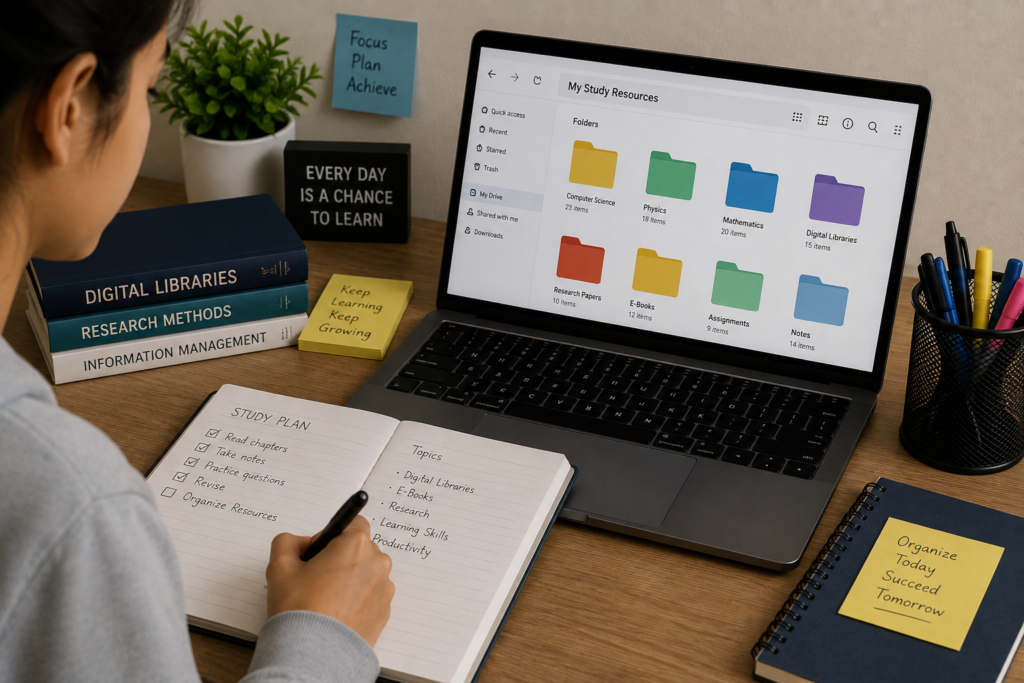
Students can create separate folders for different subjects.
For example:
Computer Science
- Python
- Algorithms
- Databases
- Web development
Physics
- Motion
- Waves
- Electricity
- Energy
This organization makes it easier to find information later.
Students should write notes in their own words rather than copying large sections from sources.
5. Use Search Tools Effectively
Knowing how to search is an important digital learning skill.
Instead of searching for a very broad phrase, use specific keywords.
For example:
Instead of:
“Physics”
Try:
“Newton’s laws of motion explanation for students”
A more specific search can produce more relevant results.
Students can also use quotation marks for exact phrases and combine important keywords when appropriate.
6. Compare Multiple Sources
One source may not provide the complete picture.
When studying an important topic, compare information from several reliable sources.
For example, a student researching a historical event might consult:
- A textbook.
- A library resource.
- An academic article.
- A reputable educational website.
Comparing sources can help students identify differences and understand the topic more deeply.
7. Use Digital Resources for Revision
Digital resources can support examination preparation.
Students can use electronic books, notes, practice questions, and other authorized educational materials to review lessons.
A useful revision process might be:
Review the topic → Identify weak areas → Find additional explanations → Make notes → Practice questions → Review mistakes
Digital resources can provide additional material for each stage.
8. Create a Digital Study Schedule
Students can organize their learning using a simple digital schedule.
For example:
| Time | Activity |
|---|---|
| 4:00–4:30 | Mathematics |
| 4:30–5:00 | Physics |
| 5:00–5:15 | Break |
| 5:15–5:45 | Computer Science |
| 5:45–6:00 | Review |
The exact schedule should depend on the student’s responsibilities.
The purpose is to create structure rather than fill every minute of the day.
9. Reduce Digital Distractions
Technology can help learning, but it can also create distractions.
Notifications, social media, games, and unrelated websites can interrupt concentration.
During a study session, students can:
- Turn off unnecessary notifications.
- Close unrelated tabs.
- Keep the phone away when appropriate.
- Use a distraction-free reading mode.
- Study in a quiet environment.
A small reduction in distractions can make digital study sessions more productive.
10. Learn From Different Formats
Different formats can explain the same topic in different ways.
A student might use:
Text: For detailed explanations.
Diagrams: For visual understanding.
Videos: For demonstrations.
Practice questions: For testing understanding.
E-books: For extended reading.
Using several appropriate formats can make difficult concepts easier to understand.
However, students should avoid constantly switching between resources without completing any meaningful study.
11. Use Digital Dictionaries and Reference Tools
Dictionaries and reference resources can help students understand unfamiliar vocabulary.
When reading an academic article or e-book, a student may encounter a word that is unfamiliar.
Instead of ignoring it, the student can check a reliable dictionary.
Learning vocabulary in context can also improve reading and writing skills.
12. Develop Research Skills
Digital learning is closely connected with research.
Students should learn how to:
- Form a research question.
- Find suitable sources.
- Evaluate information.
- Take notes.
- Organize evidence.
- Cite sources.
- Present conclusions.
These skills are useful beyond school and college.
They can help students become independent learners who know how to find and evaluate information.
13. Avoid Copying Information
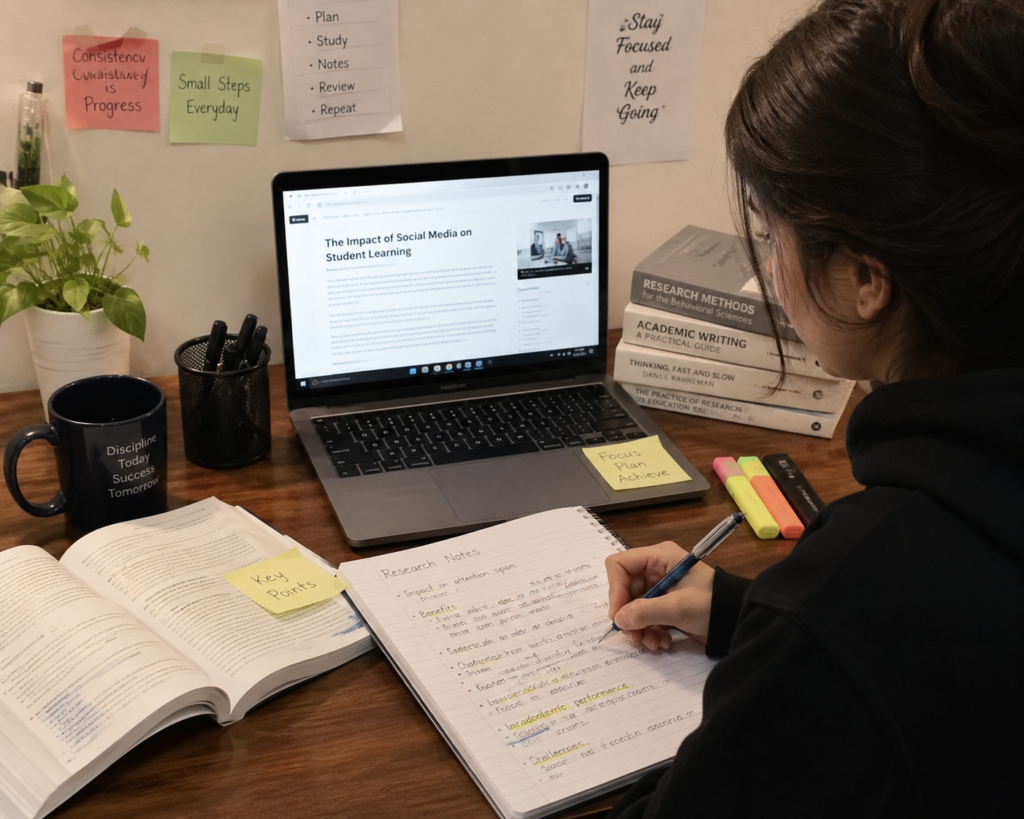
One of the biggest problems with easy access to digital information is the temptation to copy.
Students should not simply copy an online paragraph and submit it as their own work.
Instead:
- Read the source.
- Understand the information.
- Take notes.
- Write the idea in your own words.
- Cite the source when required.
This supports academic honesty and genuine learning.
14. Use Online Resources to Understand Difficult Topics
Sometimes a textbook explanation is not enough.
A student who does not understand a concept can search for another explanation from a reliable educational source.
For example, a difficult scientific concept might become easier after seeing:
- A simpler explanation.
- A labeled diagram.
- A worked example.
- A practical application.
The goal should be understanding rather than simply finding an answer.
15. Organize Downloaded Resources
Students often download many files and later struggle to find them.
A simple folder system can solve this problem.
For example:
Study Resources
→ English
→ Physics
→ Chemistry
→ Computer Science
→ Research
→ Assignments
Use meaningful file names rather than names such as:
document1.pdf
A better name might be:
Physics_Waves_Notes.pdf
Organization saves time later.
16. Use Digital Resources for Group Learning
Digital tools can also support collaboration.
Students can discuss a topic with classmates, exchange permitted study resources, or work together on projects.
Group learning can help students explain concepts to one another.
However, students should respect copyright and school policies when sharing digital materials.
17. Check Information Before Using It
Not every online claim is correct.
Before including information in an assignment, ask:
- Is the source trustworthy?
- Does another reliable source support it?
- Is the information current enough for the topic?
- Does the source provide evidence?
- Is the information being presented in the correct context?
Critical thinking is one of the most important skills in digital learning.
18. Use Digital Resources Alongside Traditional Study
Technology does not have to replace traditional learning methods.
Students can combine:
- Printed textbooks.
- Handwritten notes.
- E-books.
- Digital articles.
- Practice questions.
- Classroom teaching.
For some students, writing notes by hand may help with understanding, while digital resources provide convenient access to information.
The best approach is often a balanced one.
19. Protect Your Digital Study Materials
Students should take reasonable steps to protect important files.
Keep important documents organized and use appropriate backup methods.
If resources are stored on a device, protect the device with a suitable password or security system.
Students should also avoid downloading unknown files from suspicious websites.
20. Make Digital Learning a Habit
Digital resources are most useful when they become part of a consistent learning routine.
Instead of waiting until an examination is close, students can use digital resources throughout the academic year.
For example:
Daily: Read or review a small amount.
Weekly: Organize notes and review difficult topics.
Monthly: Check progress and identify areas that need more attention.
Small, consistent efforts can be more manageable than last-minute study.
A Simple Digital Learning Workflow
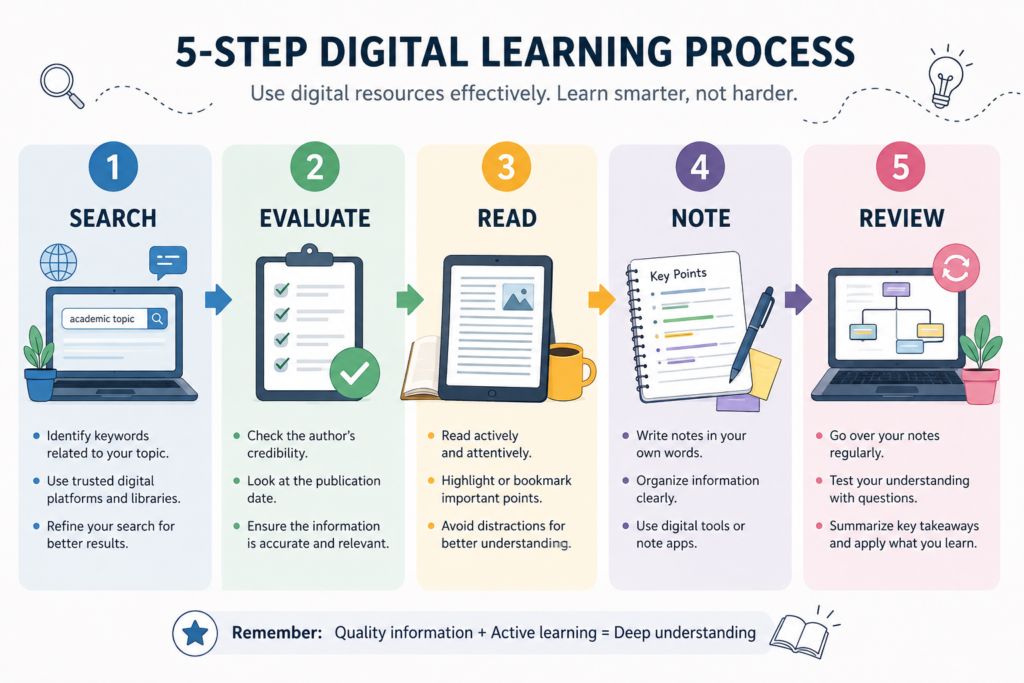
Students can follow this five-step method:
Step 1: Identify the Topic
Know exactly what you need to learn.
Step 2: Find Reliable Resources
Use digital libraries, textbooks, educational websites, and other trustworthy sources.
Step 3: Read and Understand
Do not rush directly to the answer.
Step 4: Take Notes
Record important ideas in your own words.
Step 5: Review and Practice
Test yourself using questions, summaries, or exercises.
This process turns digital information into actual learning.
Common Mistakes Students Should Avoid
Using Only One Source
One website or article may not provide enough information.
Trusting Every Search Result
Search rankings do not guarantee accuracy.
Copying Instead of Learning
Copying information does not necessarily build understanding.
Too Many Resources
Collecting hundreds of files without using them can create confusion.
Constant Multitasking
Switching between study material and entertainment can reduce concentration.
Ignoring Source Information
Students should record where important information came from.
Benefits of Using Digital Resources Wisely
When used properly, digital resources can help students:
- Access more information.
- Research topics efficiently.
- Review lessons.
- Improve vocabulary.
- Develop research skills.
- Organize study materials.
- Learn independently.
- Explore subjects beyond the classroom.
The key word is wisely.
Technology should support learning rather than become a source of unnecessary distraction.
Conclusion
Digital resources have become an important part of modern education. Students can use e-books, digital libraries, academic articles, educational websites, online reference tools, and other resources to support their learning.
However, successful digital learning requires more than simply searching for information. Students need to evaluate sources, understand what they read, take useful notes, organize resources, and apply information appropriately.
Digital tools can also make research more convenient. Search functions, bookmarks, digital folders, and online libraries can help students manage large amounts of information.
At the same time, students should remain aware of distractions, misinformation, copyright restrictions, and academic honesty.
The most effective approach is to combine technology with good study habits and critical thinking.
When students learn how to use digital resources responsibly, technology becomes more than a source of information. It becomes a useful tool for independent learning, research, and academic development.
Frequently Asked Questions
1. What are digital resources for students?
Digital resources include e-books, digital libraries, academic articles, online textbooks, educational websites, digital dictionaries, and other electronic learning materials.
2. How can digital libraries help students?
Digital libraries can provide access to books, research materials, academic articles, and other resources that support study and research.
3. How can students find reliable information online?
Students should evaluate the author, organization, publication date, evidence, references, and purpose of a resource before using it.
4. Should students use multiple sources?
Yes. Comparing reliable sources can provide a broader understanding and help students verify important information.
5. Is copying information from the internet acceptable?
Students should not present someone else’s work as their own. They should understand the information, write in their own words, and cite sources when required.
6. Can digital resources replace textbooks?
Digital resources can supplement textbooks, but whether they can replace a particular textbook depends on the course and educational requirements.
7. How can students avoid digital distractions?
Students can silence unnecessary notifications, close unrelated applications, and create a focused study environment.
8. Why are research skills important?
Research skills help students find, evaluate, organize, and use information effectively. These skills are useful in education and many areas of everyday life.