
Introduction
Research is an important part of modern education. Students regularly need to find information for assignments, presentations, projects, reports, and examination preparation. In the past, students often depended mainly on physical libraries and printed books. Today, digital libraries provide another convenient way to discover and access educational resources.
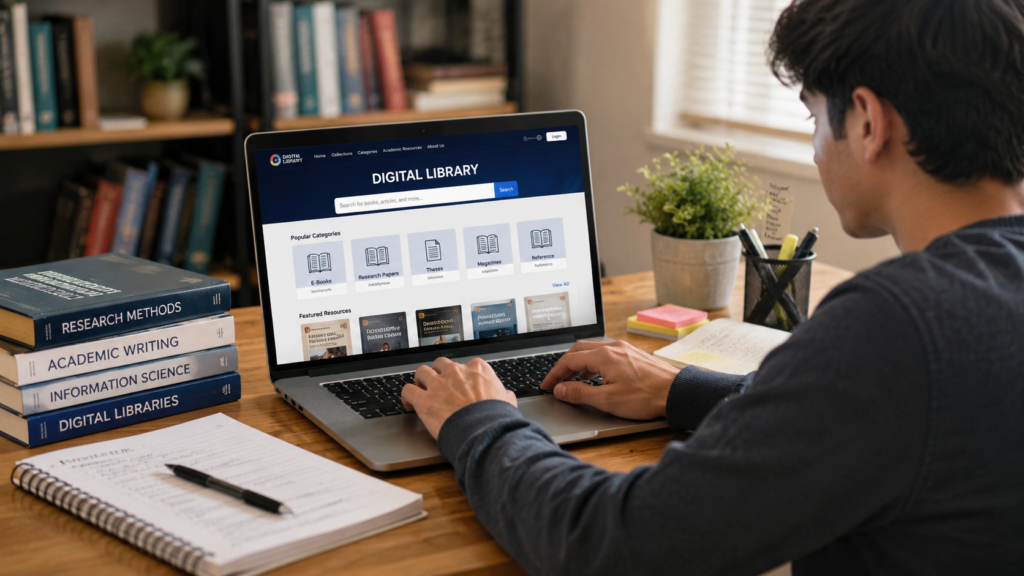
A digital library is an online collection of digital materials that may include e-books, academic articles, journals, research papers, reference works, reports, and other educational documents. Depending on the platform, students can search these resources using keywords, titles, authors, subjects, or other filters.
Digital libraries can make research more convenient, but they are not simply online storage spaces for books. When used properly, they can help students develop better research habits, discover additional perspectives, organize information, and become more independent learners.
However, students still need to evaluate sources carefully. Not every digital resource is suitable for every assignment, and access to information does not automatically mean that the information is accurate or appropriate.
This article explains how digital libraries can support student research and how students can use them effectively and responsibly.
What Is a Digital Library?
A digital library is a collection of digital resources that users can access through electronic devices.
Depending on the library, its collection may include:
- E-books.
- Academic journals.
- Research papers.
- Articles.
- Newspapers.
- Historical documents.
- Theses and dissertations.
- Reference materials.
- Educational publications.
Unlike a traditional library, users can access many digital resources through computers, tablets, or other compatible devices.
The exact resources available depend on the digital library and its collection.
Why Are Digital Libraries Useful for Students?
Students often need information from more than one textbook.
For example, a student preparing a research assignment may need:
- Background information.
- Definitions.
- Academic evidence.
- Examples.
- Statistics.
- Different perspectives.
A digital library can help students discover these types of resources in one organized environment.
It can also make searching faster because digital collections are usually searchable.
1. Easy Access to Research Materials
One of the biggest advantages of digital libraries is convenient access.
Students do not always need to visit a physical building to begin searching for information. Depending on the service, they may be able to access resources remotely.
This can be particularly useful when a student needs to check a reference book or research article while working on an assignment.
However, access conditions vary between digital libraries. Some resources may be freely available, while others may require membership, institutional access, or payment.
2. Search Information Quickly
Searching through a large physical collection can take time.
Digital libraries often provide search tools that allow students to search for:
- Keywords.
- Book titles.
- Authors.
- Subjects.
- Publication dates.
- Topics.
For example, instead of looking through an entire collection for information about reading habits, a student can search for terms such as:
“student reading habits”
or
“benefits of reading for education.”
This can help narrow down the available material.
3. Access E-Books
E-books are one of the most common types of digital library resources.
Students can use appropriate e-books for:
- Background reading.
- Subject research.
- Reference information.
- Additional explanations.
- Literature studies.
Digital books can also include searchable text, which can make it easier to locate specific terms or sections.
Students should always use e-books through legitimate sources and follow the applicable access and copyright conditions.
4. Find Academic Articles
Academic articles can provide more specialized information than general educational websites.
Students may find articles discussing:
- Research findings.
- Educational methods.
- Scientific developments.
- Social issues.
- Technology.
- Literature.
- Historical topics.
When using an academic article, students should examine the author, publication, date, references, and relevance to their research question.
5. Discover Different Perspectives
Research becomes stronger when students understand that a topic may have more than one perspective.
A digital library can provide access to different books and articles discussing the same subject.
For example, a student researching online education may find sources discussing:
- Benefits of online learning.
- Challenges of online learning.
- Student experiences.
- Teaching methods.
- Technology requirements.
Reading several perspectives can help students develop a more balanced understanding.
6. Support Independent Learning
Digital libraries can encourage students to explore subjects beyond the exact material covered in class.
Suppose a student becomes interested in astronomy after studying a science lesson.
The student can search for appropriate books and educational materials to learn more.
This type of independent exploration can help students develop curiosity and research skills.
7. Help Students Prepare Assignments
Research assignments often require information from several sources.
A student can use a digital library to:
- Understand the topic.
- Find background information.
- Locate relevant books.
- Search for academic articles.
- Take notes.
- Compare sources.
- Organize information.
- Prepare the assignment.
The digital library becomes one part of the wider research process.
8. Make Research More Organized
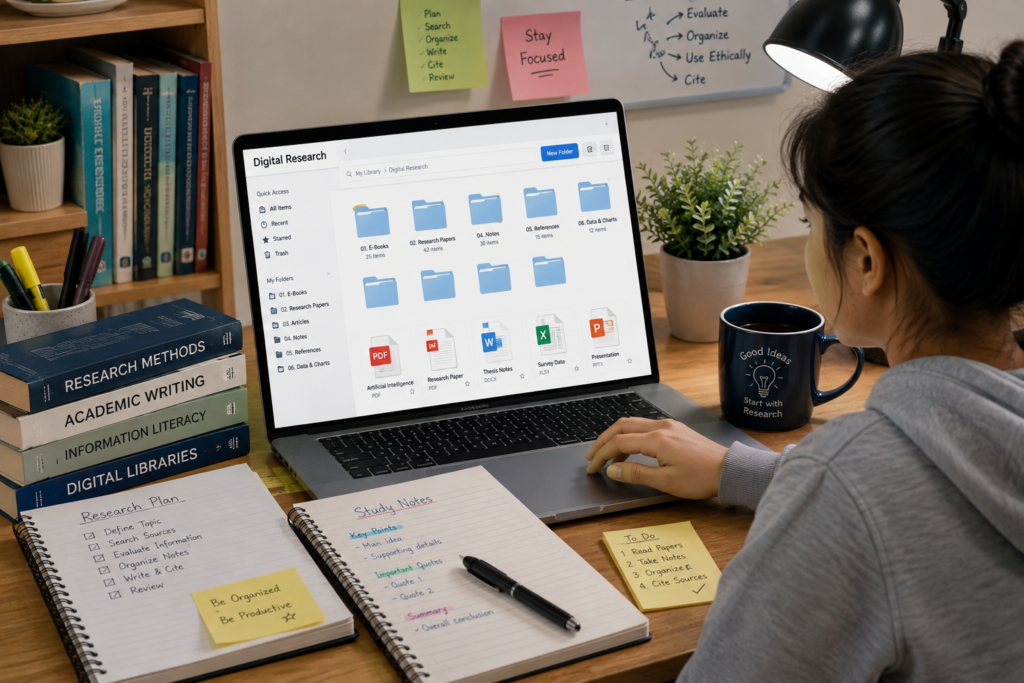
Digital resources can be easier to organize than a large collection of loose papers.
Students can create folders, bookmarks, reading lists, or source records where supported by the platform.
A simple research record might include:
| Source | Author | Topic | Useful Section |
|---|---|---|---|
| E-book | Author | Digital learning | Chapter 3 |
| Article | Author | Student research | Results |
| Reference book | Author | Education | Definition |
Organization becomes especially useful when an assignment requires multiple sources.
9. Search Within Digital Documents
Many digital books and documents have search functions.
Instead of reading an entire document to locate one term, students can search for a keyword.
For example, while researching:
“reading comprehension”
a student can search the document for that phrase.
This can help locate relevant sections more efficiently.
However, students should still read the surrounding context rather than using an isolated sentence without understanding its meaning.
10. Improve Research Skills
Using a digital library regularly can help students practice several important skills.
These include:
- Creating search terms.
- Selecting sources.
- Evaluating information.
- Comparing publications.
- Taking notes.
- Recording references.
- Identifying relevant material.
These skills can be useful for future academic work.
11. Support Different Learning Needs
Students do not all learn in exactly the same way.
Some may prefer reading a detailed book, while others may benefit from a shorter article or reference resource.
Digital collections can provide different formats and types of information.
Depending on the platform, students may find:
- Books.
- Articles.
- Documents.
- Journals.
- Reference materials.
Students can select resources that match the requirements of their assignment and learning goals.
12. Help Students Find Background Information
Before beginning detailed research, students need to understand the basic concepts of their topic.
A digital library can provide introductory books and reference resources.
For example, before researching artificial intelligence in education, a student might first read a general introduction to artificial intelligence.
Once the basic concepts are clear, the student can move toward more specialized research.
13. Encourage Deeper Reading
The internet often encourages quick scanning.
Digital libraries can encourage students to spend more time with complete books, chapters, and academic publications.
Reading longer materials can help students understand:
- Context.
- Arguments.
- Evidence.
- Examples.
- Connections between ideas.
Students should avoid relying entirely on short search results when their assignment requires deeper research.
14. Help With Literature Reviews
Older students may eventually work on projects that require reviewing existing research.
A literature review involves examining previous work related to a particular topic.
Digital libraries can help students find:
- Previous studies.
- Academic discussions.
- Books.
- Research articles.
- Related publications.
Students can then organize these sources and identify major ideas or research themes.
15. Support Citation and Referencing
Academic work often requires students to identify the sources they used.
Digital library records may provide useful publication information such as:
- Author.
- Title.
- Publisher.
- Publication date.
- Journal information.
Students should still verify the details and follow the citation style required by their school or institution.
16. Help Students Compare Sources
A digital library may contain multiple resources about the same subject.
Students can compare them to determine:
- Which ideas are similar?
- Where do authors disagree?
- What evidence is provided?
- Which source is most relevant?
- Are there differences in methodology or interpretation?
Comparison is an important part of critical thinking.
17. Teach Students to Evaluate Information
Digital access does not remove the need for critical thinking.
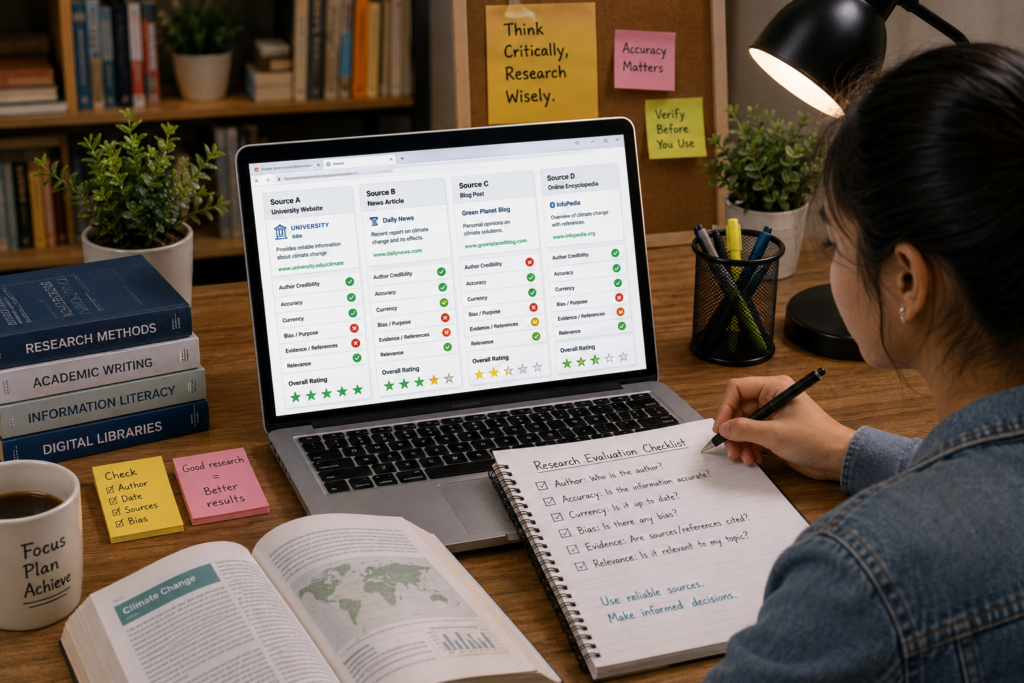
Before using a source, ask:
Who created it?
Identify the author.
When was it published?
Check whether the information is current enough.
Where was it published?
Consider the publisher or journal.
What evidence does it provide?
Look for references and supporting material.
Is it relevant?
Make sure it addresses your research question.
18. Use Digital Libraries Alongside Other Sources
A digital library should be one part of a student’s research process.
Students can combine library resources with:
- Classroom textbooks.
- Teacher-recommended sources.
- Academic databases.
- Official publications.
- Reputable educational websites.
Using multiple appropriate sources can provide a broader understanding.
19. Avoid Information Overload
Digital libraries can contain thousands or even millions of resources.
Having too many choices can become confusing.
Students should create a focused research question and select only the sources that are genuinely relevant.
A useful approach is:
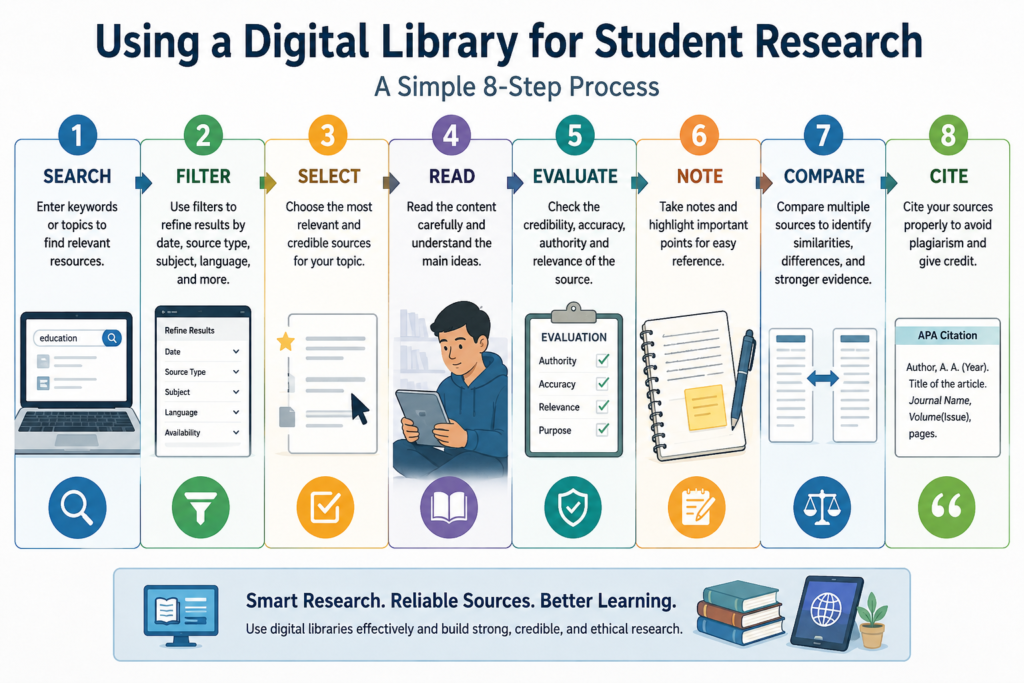
Search → Filter → Select → Read → Evaluate → Note
This prevents research from becoming an endless collection of links and documents.
20. Use Digital Resources Responsibly
Students should understand that digital information is not automatically free to copy or redistribute.
When using digital library resources:
- Follow the library’s rules.
- Respect copyright.
- Do not share restricted materials improperly.
- Give credit to sources.
- Avoid plagiarism.
- Use materials according to their permitted access.
Responsible use is an important part of academic research.
Digital Library Research Process
Students can follow a simple process when researching a topic.
Step 1: Choose a Topic
Identify what you need to study.
Step 2: Create a Question
Turn the topic into a specific research question.
Step 3: Search
Use keywords in the digital library.
Step 4: Filter
Narrow the results by subject, author, date, or other available options.
Step 5: Select
Choose the most relevant resources.
Step 6: Read
Study the relevant sections carefully.
Step 7: Take Notes
Record important ideas in your own words.
Step 8: Evaluate
Check reliability and relevance.
Step 9: Compare
Look at information from multiple sources.
Step 10: Write and Cite
Use the information responsibly and provide appropriate references.
Common Mistakes Students Should Avoid
Choosing Sources Only by Title
A title may sound relevant while the actual content is not useful.
Reading Only the Abstract or Summary
Important context may be found in the full text.
Ignoring Publication Details
Author and publication information can help evaluate a source.
Copying Material
Students should understand information and write their own work.
Using Only One Source
Multiple suitable sources can provide broader evidence.
Collecting Too Many Documents
Large collections can become difficult to manage.
Forgetting to Record Sources
Students may later struggle to remember where information came from.
Digital Libraries and the Future of Student Learning
As education continues to use digital technology, online research skills are becoming increasingly valuable.
Students may encounter digital books, online journals, research databases, educational platforms, and other electronic resources throughout their academic careers.
Learning how to navigate these resources responsibly can prepare students for more advanced study.
However, technology should remain a tool for learning rather than a replacement for thinking.
Students still need to read carefully, ask questions, evaluate evidence, and form their own understanding.
Conclusion
Digital libraries can play an important role in modern student research.
They can provide convenient access to e-books, academic articles, reference materials, research publications, and other educational resources. Search tools can help students find relevant information efficiently, while digital collections can expose learners to different perspectives and deeper reading.
However, effective digital library use requires more than searching for a title and downloading a document.
Students should create clear research questions, use suitable keywords, evaluate sources, organize notes, compare information, and record publication details. They should also respect copyright and use digital materials responsibly.
The most valuable benefit of a digital library is not simply the number of resources it contains. Its real value comes from helping students develop the skills needed to find, understand, evaluate, and use information effectively.
When students combine digital library resources with critical thinking and good study habits, they can become more confident and independent researchers.
Frequently Asked Questions
1. How do digital libraries help students?
Digital libraries can provide access to e-books, academic articles, research papers, reference materials, and other educational resources.
2. Can students use digital libraries for assignments?
Yes. Students can use appropriate digital library resources for background research, supporting evidence, reading, and academic assignments.
3. What can students find in a digital library?
Collections vary, but they may include e-books, journals, articles, research papers, reference books, reports, and historical documents.
4. Are all digital library resources reliable?
Students should still evaluate individual resources by checking authorship, publication information, evidence, relevance, and date.
5. How can students search a digital library effectively?
Use specific keywords and, when available, apply filters for subject, author, publication date, or document type.
6. Can digital libraries replace traditional libraries?
Not completely. Digital and traditional libraries offer different types of resources and experiences. Both can support learning.
7. Why should students compare different sources?
Comparing sources can help students identify consistent information, different perspectives, and areas that require further investigation.
8. Is it acceptable to copy text from a digital library?
Students should follow copyright and academic integrity rules. Information should be appropriately paraphrased or quoted and properly acknowledged.