
Introduction
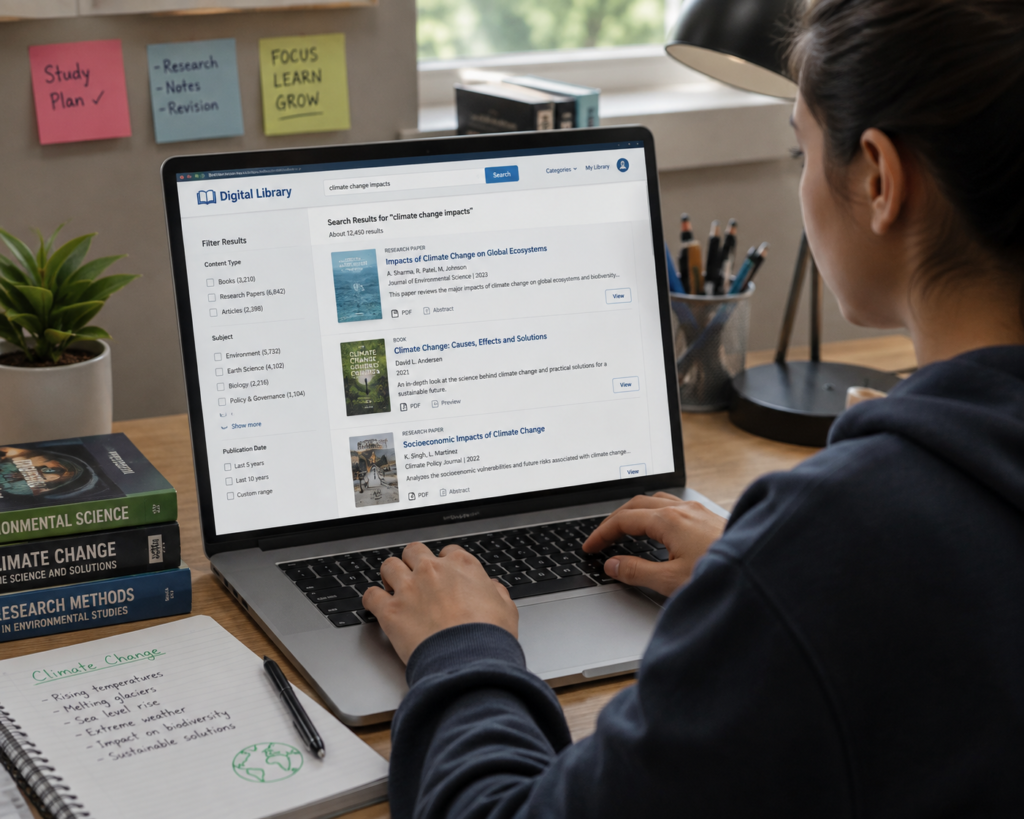
Digital libraries have become one of the most valuable educational tools in today’s connected world. They provide convenient access to eBooks, research papers, academic journals, historical archives, and multimedia learning resources. Whether you are a student preparing for exams, a teacher creating lesson plans, a researcher conducting academic studies, or simply someone who enjoys reading, knowing how to use a digital library effectively can save time and improve your learning experience.
Many beginners only use the basic search bar and miss out on powerful features that make finding reliable information faster and easier. Learning how to search efficiently, organize resources, evaluate information, and use digital tools responsibly can help you get the most from any digital library.
In this guide, you’ll learn practical tips and techniques to use digital libraries confidently and efficiently.
What Is a Digital Library?
A digital library is an organized online collection of educational and informational resources that can be accessed electronically. Unlike a traditional library, where users visit a physical location to borrow books, a digital library allows users to search and access resources using computers, tablets, or smartphones.
Digital libraries often include:
- eBooks
- Academic journals
- Research papers
- Theses and dissertations
- Historical archives
- Magazines
- Educational videos
- Audio learning materials
These collections help make learning more accessible and support education, research, and lifelong learning.
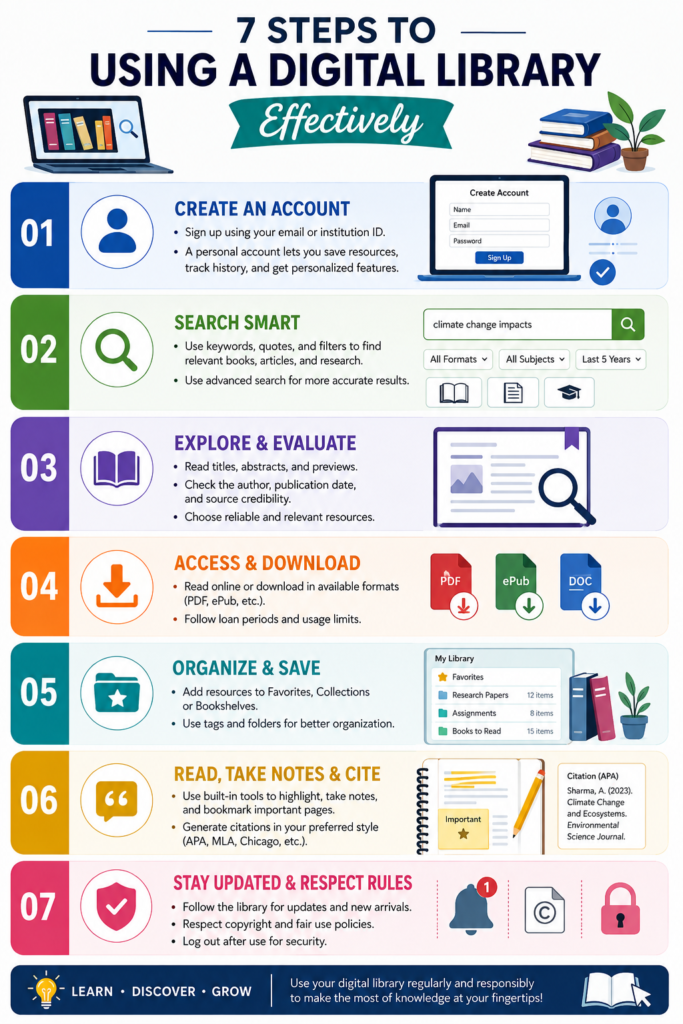
Step 1: Choose a Reliable Digital Library
Not every website offering books or documents is a trustworthy digital library. When selecting a platform, consider the quality and reliability of its resources.
A good digital library should provide:
- Well-organized collections
- Accurate search tools
- Reliable educational content
- Clear information about licensing and access
- A user-friendly interface
- Regularly updated resources
Students and researchers should always verify that the materials they use come from credible and appropriate sources for their work.
Step 2: Create an Account (If Required)
Some digital libraries allow visitors to browse resources without registration, while others require users to create an account.
Having an account may provide additional features such as:
- Saving favorite resources
- Creating reading lists
- Bookmarking pages
- Viewing reading history
- Downloading available materials
- Receiving personalized recommendations
Keeping your reading organized makes it easier to return to useful resources later.
Step 3: Learn How to Search Effectively
The search function is one of the most important features of a digital library.
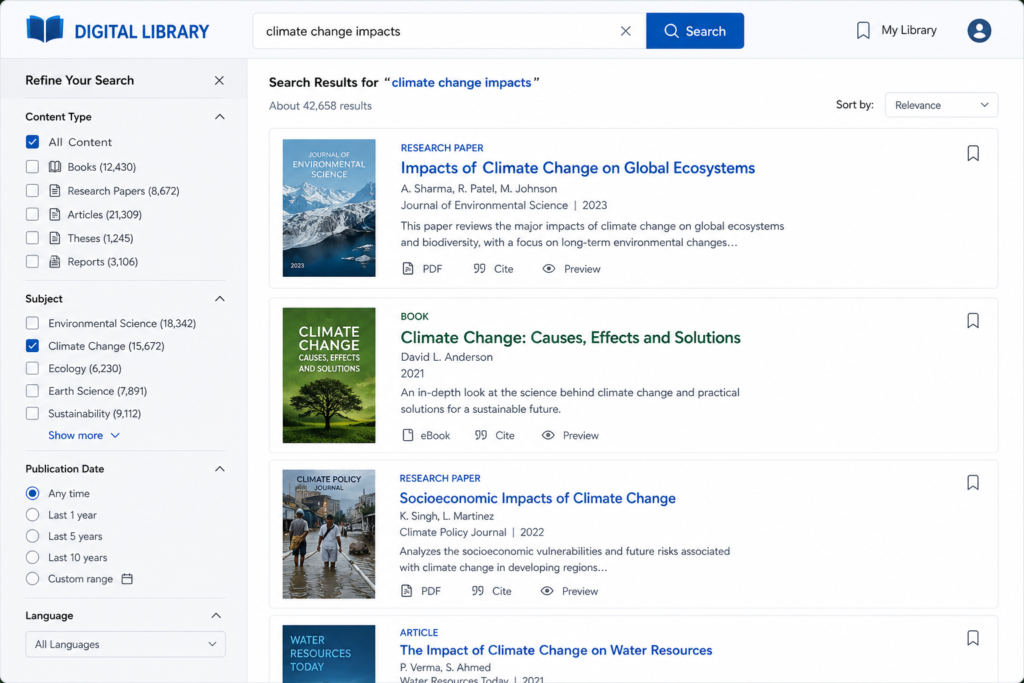
Instead of typing very broad terms, use specific keywords that describe your topic. Narrowing your search helps you find more relevant results and reduces the amount of unrelated information.
Many digital libraries also provide filters that allow users to search by:
- Author
- Title
- Subject
- Publication year
- Language
- Resource type
- File format
Using these filters can save time and improve research quality.
Step 4: Evaluate the Credibility of Information
Finding information is only the first step. You should also evaluate whether the information is accurate, reliable, and suitable for your purpose.
When reviewing a resource, ask yourself:
- Who is the author?
- When was it published?
- Is the information supported by evidence?
- Is it relevant to your topic?
- Does it come from a reputable publisher or educational institution?
Using reliable sources improves the quality of assignments, research projects, and presentations.
Step 5: Use Advanced Search Features
Most digital libraries offer advanced search options that help users find information more efficiently.
You can refine your search by:
- Publication date
- Subject category
- Language
- Author
- Document type
- Keywords
Using these filters reduces unnecessary results and helps you focus on the most relevant resources.
Step 6: Organize Your Reading Materials
Keeping your research organized saves time and improves productivity.
Many digital libraries allow users to:
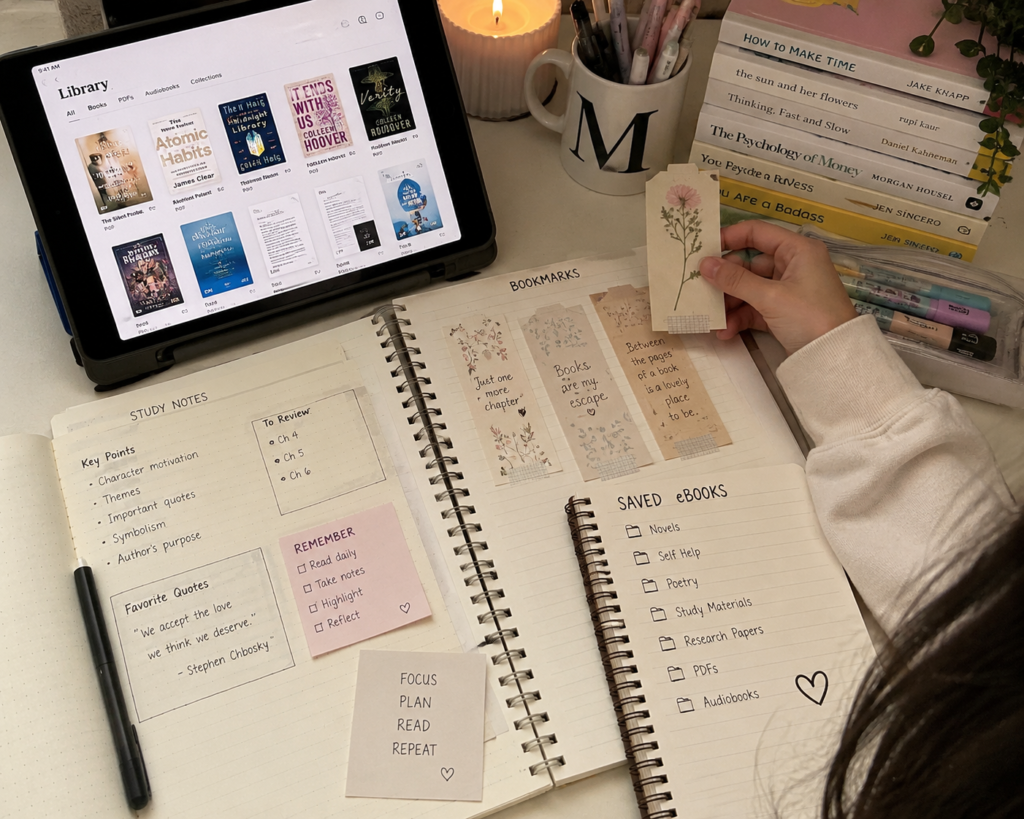
- Bookmark important pages.
- Save favorite books.
- Create reading lists.
- Highlight important sections.
- Add personal notes.
- Export citations (if supported).
Organizing your materials makes it easier to review information later without searching again.
Step 7: Read Responsibly
Digital libraries provide access to valuable knowledge, but users should also respect copyright and licensing rules.
Always:
- Follow the library’s terms of use.
- Cite sources correctly in academic work.
- Respect copyright restrictions.
- Avoid sharing restricted materials without permission.
Responsible use supports authors, publishers, and educational institutions while maintaining academic integrity.
Common Mistakes to Avoid
Many beginners make simple mistakes that reduce the effectiveness of their research.
Avoid these common errors:
- Using very broad search terms.
- Ignoring publication dates.
- Depending on only one source.
- Not checking the author’s credibility.
- Forgetting to save useful resources.
- Failing to cite references correctly.
Developing good research habits leads to more accurate and trustworthy work.
Tips for Better Research
To improve your digital library experience:
- Plan your research before searching.
- Use clear and specific keywords.
- Compare information from multiple reliable sources.
- Read abstracts before opening long documents.
- Keep notes while reading.
- Organize resources into folders or collections.
- Review your saved materials regularly.
These habits make studying more efficient and reduce the time spent searching for information.
Benefits of Using Digital Libraries Effectively
When used correctly, digital libraries offer many advantages.
They help users:
- Save time.
- Find reliable educational resources.
- Improve research quality.
- Develop independent learning skills.
- Stay updated with current information.
- Access knowledge from almost anywhere.
- Organize learning materials efficiently.
These benefits make digital libraries valuable tools for students, teachers, researchers, and lifelong learners.
Conclusion
Learning how to use a digital library effectively is an important skill in today’s digital world. Digital libraries provide convenient access to books, journals, research papers, and other educational resources that support learning and professional development.
By choosing reliable resources, using advanced search features, organizing research materials, and following responsible research practices, users can make better use of the information available to them.
Whether you are preparing for exams, conducting academic research, or exploring a new subject, digital libraries can help you learn more efficiently and confidently.
Frequently Asked Questions (FAQs)
1. What is the first step in using a digital library?
Choose a reliable digital library that provides organized and trustworthy educational resources.
2. Why should I use specific keywords when searching?
Specific keywords produce more accurate search results and save time.
3. How can I determine whether a source is reliable?
Check the author, publication date, publisher, and supporting evidence before using the information.
4. Can I save books for later reading?
Many digital libraries allow users to bookmark resources, create reading lists, or save favorites.
5. Why is it important to organize research materials?
Organization makes it easier to locate useful information during assignments and future research.
6. Should I cite digital library sources?
Yes. Always provide proper citations when using information in academic work.
7. Are digital libraries useful for beginners?
Absolutely. They offer easy access to educational resources and help beginners develop strong research skills.
8. Can digital libraries improve learning?
Yes. They provide quick access to quality educational materials, encourage independent learning, and support academic success.